
This article was created with the AI assistant Claude and published by Peter Hoenig.
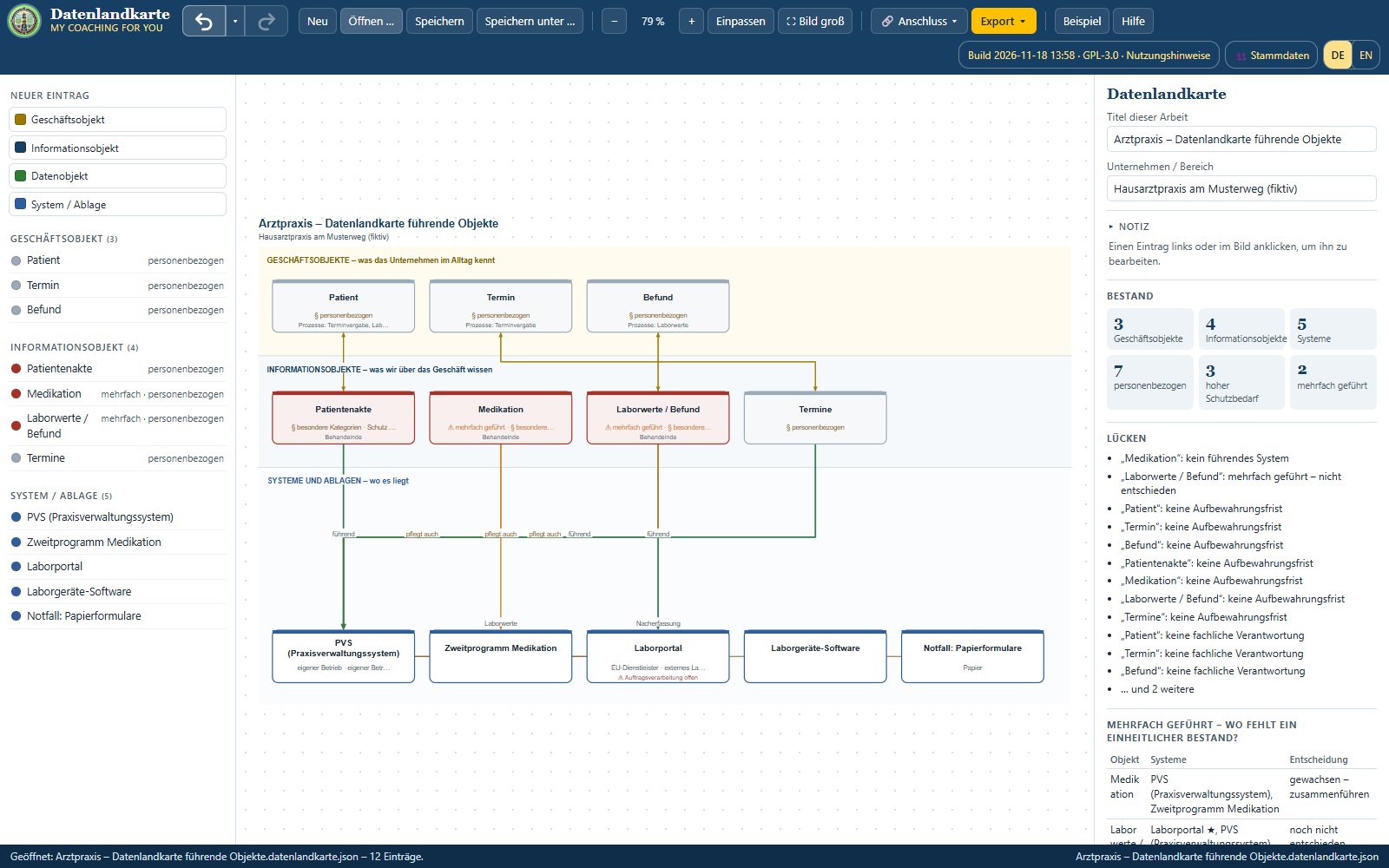
In chapter 20 of the MC4Y Suite practice book a small family practice puts its processes in order: three doctors, five medical assistants, a practice management system (PVS), lab devices and a lot of telephone. This case study is now available as ready-made example files – open them in the matching tool and you see exactly what the book describes.
Download
- Practice book examples – family practice (English, ZIP)
- Praxisbuch-Beispiele Arztpraxis (German, ZIP)
The README in the ZIP lists which file belongs to which tool and how to open it.
What you see in the tools
- SIPOC – one file each for appointments, lab results and record clean-up. Lab results carry the rule from the book: a finding has arrived when it is assigned to the treating doctor in the patient record and – if it is not dealt with at once – has a follow-up.
- 8EM Modeller – the practice as a model with an as-is and a to-be picture; the four changes are operational goals. You can see that the telephone is the most used trigger and still has no fixed role.
- Data map – the PVS leads the patient record, medication is maintained twice, lab results live in the lab portal and in the PVS. Which system will lead medication stays an open decision, as in the book.
- Outage simulation – what happens when the PVS is down, and how the emergency concept with paper forms helps.
- Kanban – the daily run through findings, with case numbers only.
How to open a file: call up the tool, choose “Open …” and pick the file from the ZIP. In the 8EM Modeller use “open a single model file (.8em.json)” in the start window.
Frequently asked questions
Do I need the MC4Y Suite? No. The tool files run in the browser without an account. Only calendar, CMDB, tasks and document store need the Suite.
May I adapt the examples for my own practice? Yes – that is what they are for. Replace roles and systems with your own; patient data stays in the practice management system.
Conclusion
The book explains why three clear processes and four small changes carry more than a big digitalisation project. The example files show what that looks like in the tools – to look at, replay and build on. The book's second example, Wendelmuth Werkzeugmaschinen GmbH, is in the post Practice book example Wendelmuth.
Open or download the tools
- Practice book example family practice (ZIP)Download (21 KB)
- Practice book example family practice (ZIP, German)Download (22 KB)
Thinking further
You can find more on this topic under resources and downloads – or talk to me directly in a free initial consultation.
Comments
Comments are published immediately with your name. Only the name, title, comment text and time are stored – see the privacy policy.
Loading comments …